Microsoft Overhauls Copilot With Prompt-Based Coding, Agent Builder, and In-App Document Editing
A major refresh to Microsoft 365 Copilot adds dedicated Code, Chat, and Autopilot modes alongside automated cloud app hosting.
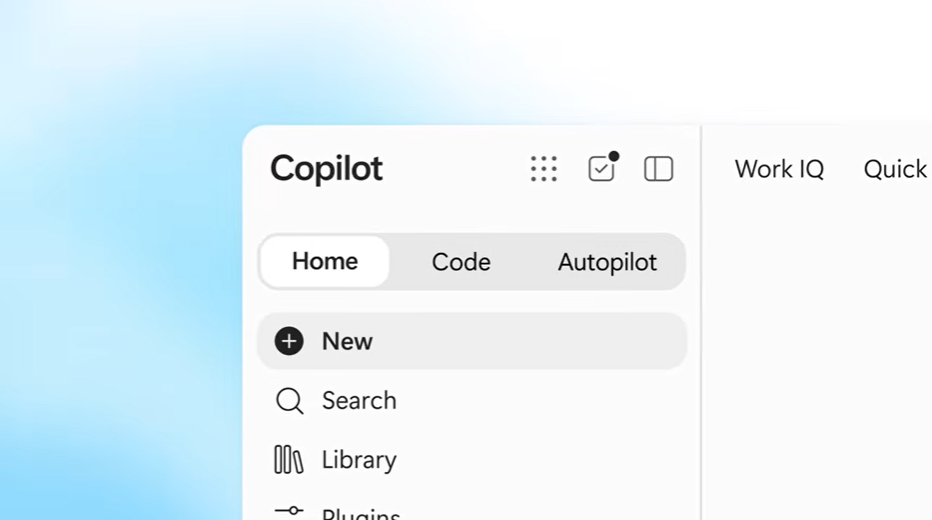
Microsoft Corp. has launched a major update to Copilot, the artificial intelligence assistant embedded in its Microsoft 365 productivity suite, as reported by SiliconANGLE (https://siliconangle.com/2026/09/25/microsoft-overhauls-copilot-with-new-coding-document-editing-features/). The release reorganizes Copilot's user interface around specialized workspace sections designed for generating lightweight software, editing office documents inline, and assembling autonomous task agents without manual coding.
The centerpiece of the update is a new workspace section named Code, which allows non-technical employees to generate simple applications through natural-language prompts. Workers such as business analysts can use the tool to generate desktop widgets or cloud services, such as live dashboards for tracking retail sales. To handle cloud deployment, Microsoft introduced Copilot Managed Runtime, a backend service that deploys prompt-generated software in a cloud environment requiring no manual configuration or infrastructure maintenance.
For IT teams and developers managing these user-created programs, Copilot Managed Runtime includes a software development kit (SDK) and a command-line interface. Technical staff can use these utilities to add external integrations or refine AI-generated applications. “Teams can preview and improve a new version while the current version remains available to users,” David Blyth, vice president and general manager of Microsoft’s managed apps and agents group, wrote in an announcement post. “Identity and policy are enforced through the host. Monitoring, usage, and inventory give your organization visibility into what’s been built, how apps are being used, and app health.”
The revamped interface also adds a Chat section tailored for standard knowledge work. Integrated directly with Microsoft Office, Chat generates new Word, Excel, or PowerPoint files from user prompts and displays existing documents directly within the Copilot interface so users can review and make manual edits alongside AI suggestions.
A third section, Autopilot, lets users assemble autonomous AI agents without writing code. Microsoft designed these agents to execute recurring workflows, respond to specific business triggers, and handle multi-step tasks without needing step-by-step prompting. To supply contextual enterprise data to both agents and prompts, Microsoft expanded its Microsoft IQ service to index customer records in Dynamics 365 and automation workflows in Power Platform.
Microsoft also disclosed upcoming additions to the platform, including an interface section called Today that will surface priority tasks and complete select actions automatically, as well as an update that will remove the need to manually switch between Chat and Code modes.
Sources
Written by
The Company Wire
Inside the companies building what’s next. Reporting on startups, technology, funding and the people shaping them.