Microsoft Tests Direct Wi-Fi and Smartphone Controls for Xbox Cloud Gaming
The preview features introduce browser-based virtual controls on smart TVs and direct Wi-Fi routing to reduce latency on the Nano Controller.
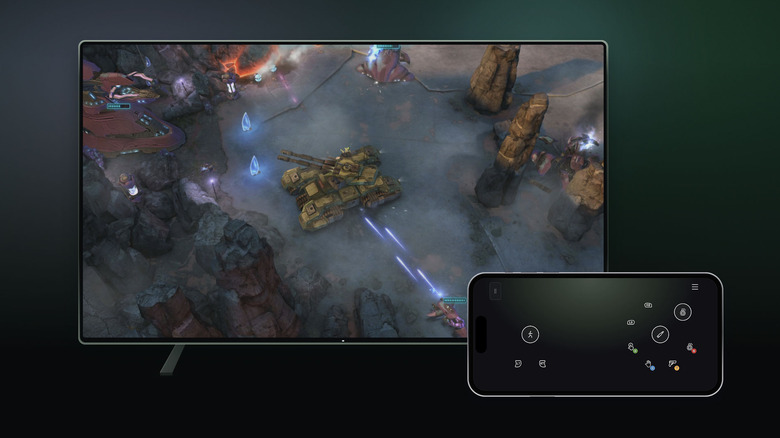
Microsoft has rolled out preview testing for two new controller options on Xbox Cloud Gaming designed to lower barrier to entry and cut input latency, Engadget reported on Wednesday.
The updates introduce a browser-based smartphone virtual gamepad for supported smart TVs, alongside direct Wi-Fi connectivity for Microsoft's Nano Controller in the United States.
The smartphone control feature enables players streaming Xbox titles on select smart TVs to use their mobile devices as input controllers without downloading a separate application. The controller layout launches directly in a mobile web browser, with Microsoft noting that certain games feature custom touch-screen configurations. Players with compatible hardware can access the test by navigating to Settings > Account in the television's Cloud Gaming interface and enabling Preview Features.
While touch displays lack the tactile response and precision demanded by fast-paced titles, the mobile interface provides a zero-hardware fallback for turn-based or casual games. Similar smartphone-as-controller setups have been deployed by other streaming services, including Netflix and Google's discontinued Stadia service.
Simultaneously, Microsoft opened testing for direct Wi-Fi connections on its Nano Controller for US users. Standard wireless controllers typically route input signals via Bluetooth to the host display or streaming device before forwarding them over the internet to cloud servers. By connecting the gamepad directly to local Wi-Fi, inputs bypass the host device and travel straight to Microsoft's cloud infrastructure, shaving milliseconds off input lag—a mechanism Google Stadia used for its dedicated hardware.
Configuring Wi-Fi mode requires pairing the Nano Controller using the Xbox beta app on Android or the Xbox Accessories app on PC, with the PC route currently requiring enrollment in the Xbox Insider preview program. Once set up, the controller automatically connects over Wi-Fi when the user launches Xbox Cloud Gaming from that account.
Microsoft stated that both capabilities remain in preview and that supported games and devices may vary. Nano Controller Wi-Fi connectivity is currently limited to smart TVs and web browser sessions. The preview testing arrives just ahead of previously announced time limits scheduled to take effect on Xbox Cloud Gaming later this month.
Sources
Written by
The Company Wire
Inside the companies building what’s next. Reporting on startups, technology, funding and the people shaping them.
